Training Log
Logging a Training Session
How to record a training session with all available fields.
Creating a new session
- 1Go to Training in the sidebar.
- 2Click "+ Log session" in the top right.
- 3Fill in the session details.
- 4Click "Log session" to save.
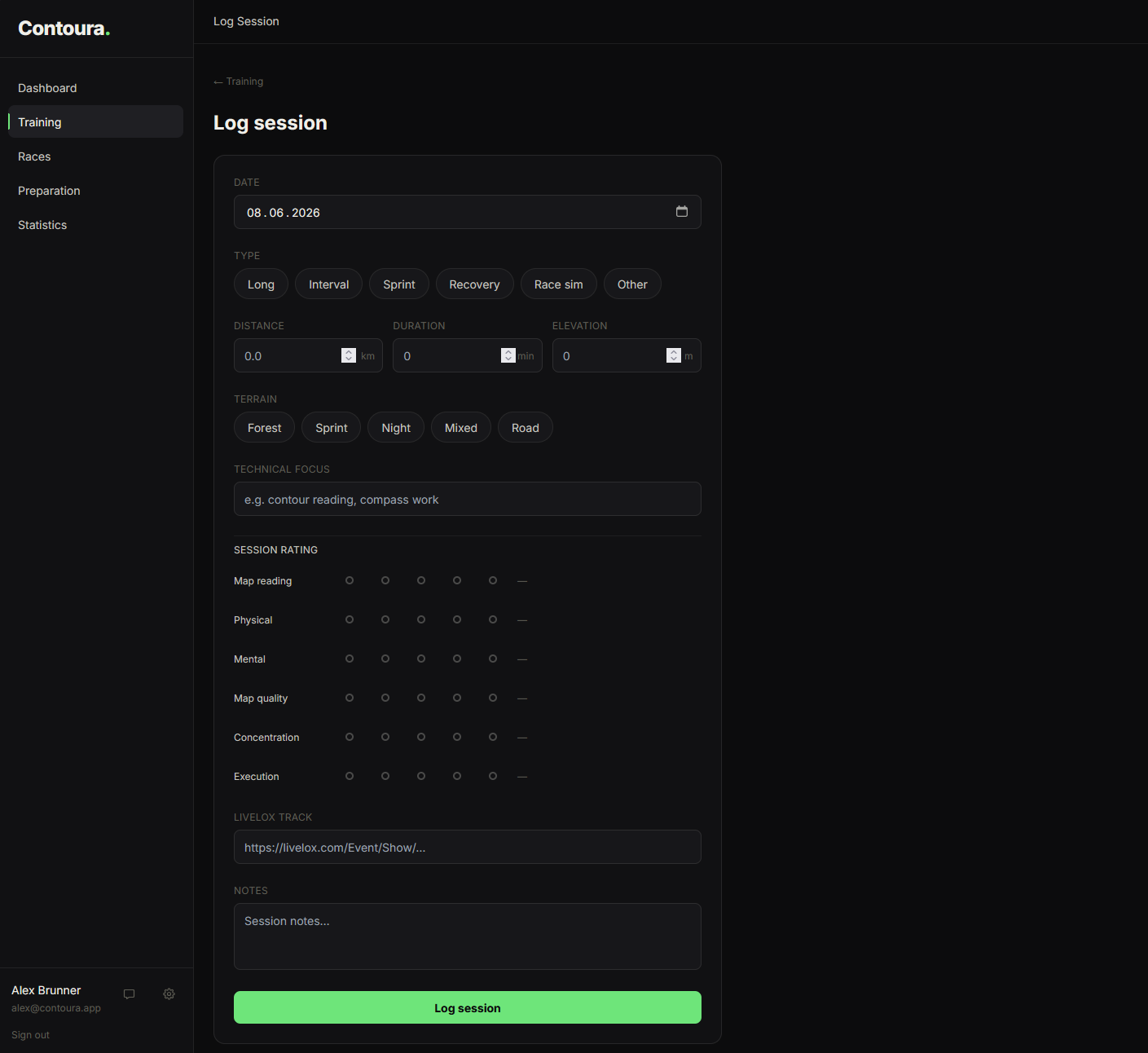
Available fields
- Date — required. When the session took place.
- Type — Long, Interval, Sprint, Recovery, Race sim, or Other
- Distance (km) — total distance covered
- Duration (min) — total time of the session
- Elevation (m) — total climbing in metres
- Terrain — Forest, Sprint, Night, Mixed, or Road
- Technical focus — what orienteering skill you practised (free text)
- Session rating — rate yourself on 6 dimensions (see below)
- Livelox track — URL to your GPS replay on livelox.com
- Notes — free-text notes about the session
Session rating dimensions
Training sessions can be rated on 6 dimensions on a 1–5 scale:
- Map reading — quality of your map reading during the session
- Physical — how your body felt: fitness, energy, endurance
- Mental — focus and concentration during the session
- Map quality — how well the map matched the terrain
- Concentration — staying alert and consistent throughout
- Execution — how well you carried out your technical intentions