Race Analysis
The Debrief Workflow
Step-by-step guide to the post-race debrief flow in Contoura.
What is a debrief?
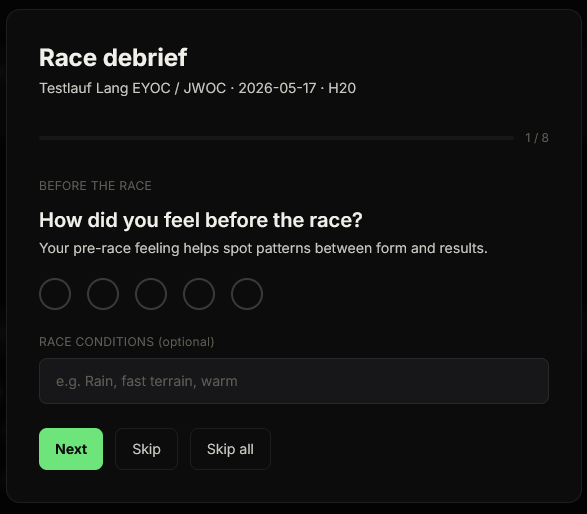
The debrief is a guided post-race reflection that walks you through rating your pre-race feeling, describing race conditions, rating your performance across 6 dimensions, and reviewing your leg comments — all in a structured 8-step flow.
Starting the debrief
- 1Open a race from the Races list.
- 2Click the "Start debrief" button.
- 3The debrief opens as a full-page guided flow.
What the 8 steps cover
- 1. Pre-race feeling — how you felt physically and mentally before the start (1–5 scale)
- 2. Race conditions — optional note about weather, terrain, or other conditions
- 3–8. Performance ratings — rate yourself on 6 dimensions: Map reading, Physical, Mental, Route choice, Concentration, and Execution (1–5 each)
You can use "Skip" on any step you do not want to fill in. The data you do enter is saved immediately.
Editing debrief data afterwards
After completing the debrief, you can edit all the data you entered — pre-race feeling, race conditions, and performance ratings — directly on the race page without re-entering the debrief flow.