Statistics & Patterns
AI Pattern Analysis
How to run and interpret the AI pattern analysis across your race history.
What is pattern analysis?
The AI Pattern Analysis looks across all your imported races — split times, time losses, self-assessment ratings, and leg comments — to identify recurring strengths and weaknesses. Instead of analysing one race in isolation, it finds patterns across your entire history.
Running the analysis
- 1Go to Statistics in the sidebar.
- 2Click "Patterns" or navigate to Statistics → Patterns.
- 3Click "Run pattern analysis".
- 4Wait a few seconds for the AI to process your data.
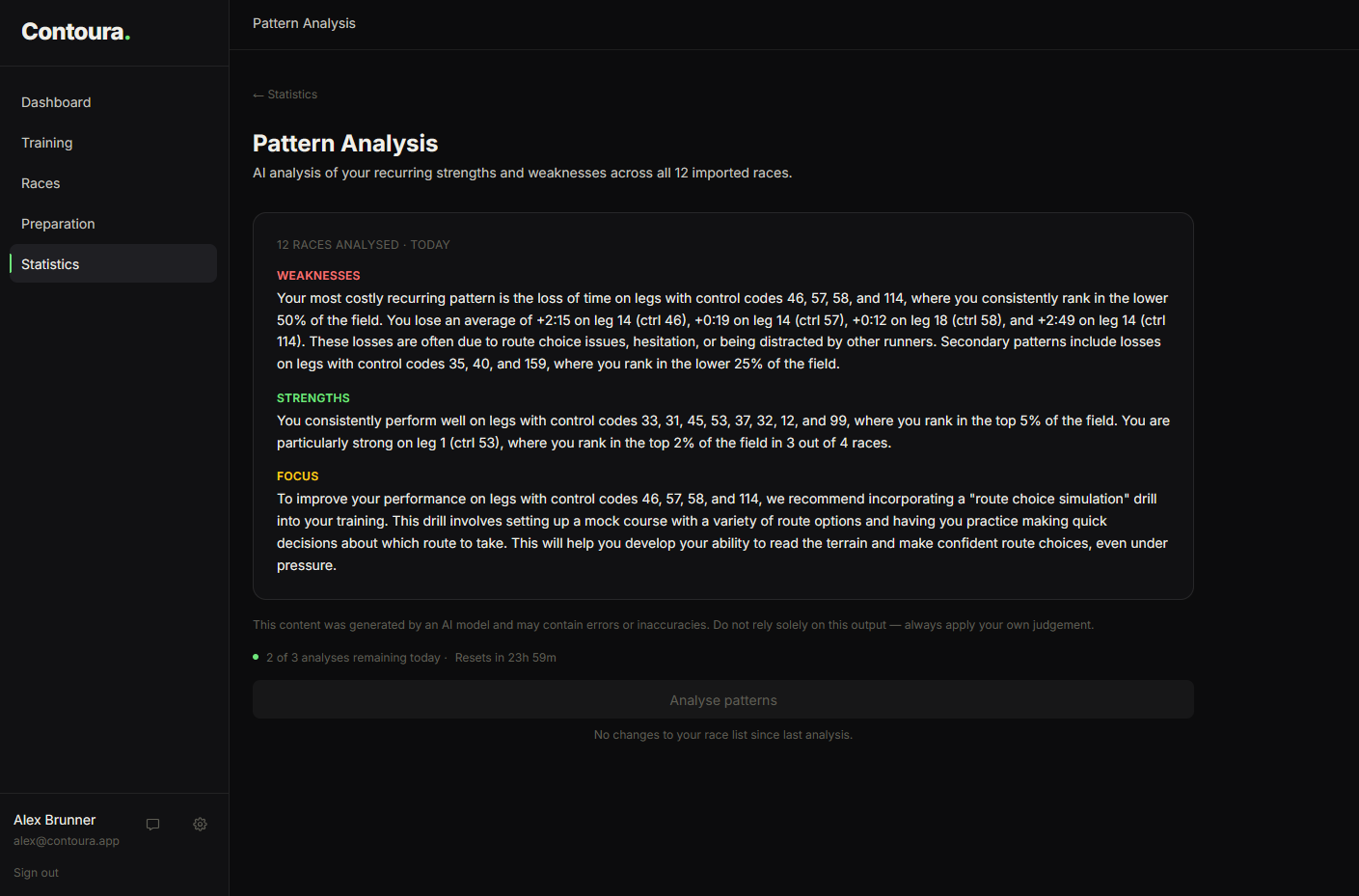
What the analysis looks for
- Recurring error types across races (e.g. consistently losing time on long legs)
- Dimensions where self-assessment ratings are consistently low
- Improvement trends in specific skills over time
- Recommendations for training focus based on the pattern data
The more races you have imported and debriefed, the more accurate and specific the pattern analysis becomes.
Requirements
Pattern analysis requires at least 3 imported races. AI features must be enabled in Settings.